Required Skills
Only specialists with both programming and BIM expertise can build automated reviews.
How many of those exist in your organization? Most designers are left behind, running the same manual reviews indefinitely.
Just ask your BIM and see the results.
No setup. No scripts. No perfect model required.
Where current workflows break down
Across firms, the same operational constraints keep forcing teams back to manual review.
How many of those exist in your organization? Most designers are left behind, running the same manual reviews indefinitely.
By the time it's done, the project has moved on. And the next project starts from zero again.
Verification is your responsibility. But the model's logic belongs to whoever built it.
Most team members can't access or operate BIM tools independently. Reviewing stays bottlenecked with specialists.
Slightly different naming conventions mean starting over — or giving up entirely.
When a specialist moves on, the knowledge goes with them. The rest of the team starts from scratch.
How it works
Load a model, ask a question in plain language, and get instant visual results. No scripts. No setup. No specialist required.
Load your BIM model and type what you want to verify — in plain language. No scripts, no pre-definitions, no configuration needed.
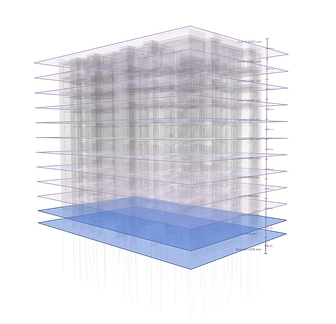
Review results are highlighted directly on the model. The AI's full reasoning is visible at every step — no black box, no guesswork.
Save any review that works. Re-run it on the next project with a single click — no re-configuration, no starting over.
What changes with AI BIM review
Where existing tools stop, Tektome keeps going. Here's how we address each constraint head-on.

AI BIM Review Solution
Existing Tools
Use cases
Different roles, different pressures but the same need to verify models quickly and reliably.
Transparency
AI BIM Review shows its work at every step so you can verify decisions, spot any gaps, and stay confident in every review you submit.
Type what you want to verify and let the AI do the rest. AI BIM Review shows the exact steps it will take before running. You approve before anything executes.
Review results are highlighted directly on your BIM model. Inspect any step to see what the AI found, which properties it accessed, and its confidence level.
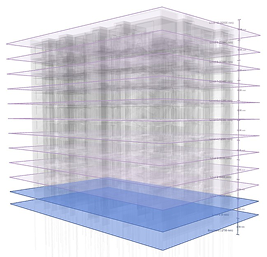
143 IFCSLAB entities matched. Applying highlight colour to all slab elements.
Each result includes step-by-step reasoning, model properties accessed, and confidence indicators built for designers who need to sign off with certainty.
Once a review works, save it. Re-run it on the next project with a single click.
Free Trial
See AI BIM Review on your own models. Tell us what you'd like to verify and we'll set you up with a trial tuned to your data and disciplines.
Book a 30-minute demo
Step 3 of 3
Thirty minutes, and you will get a calendar invite straight away.
A calendar invite is on its way to your inbox.
Henry will bring a prepared sample project, so there is nothing for you to set up.
Need to change it? Reply to the invite and we will sort it out.
Step 3 of 3
Thirty minutes, and you will get a calendar invite straight away.
A calendar invite is on its way to your inbox.
Henry will bring a prepared sample project, so there is nothing for you to set up.
Need to change it? Reply to the invite and we will sort it out.