Ask your BIM in plain language. That’s all it takes to run a check.
Just ask your BIM and see the results.
No setup. No scripts. No perfect model required.
Where Current Workflows
Break Down
BIM checking automation has always been harder than it should be.
Across firms, the same operational constraints keep forcing teams back to manual checking.

Only specialists with both programming and BIM expertise can build automated checks.
How many of those exist in your organization? Most designers are left behind, running the same manual checks indefinitely.

Custom checks take months to build and rarely transfer beyond a single project.
By the time it’s done, the project has moved on. And the next project starts from zero again.

You’re responsible for checking models you didn’t build without understanding their structure.
Verification is your responsibility. But the model’s logic belongs to whoever built it.

Running a check requires licensed software and technical know-how.
Most team members can’t access or operate BIM tools independently. Checking stays bottlenecked with specialists.

Automation breaks as soon as the project changes.
Slightly different naming conventions mean starting over — or giving up entirely.

Checks built by one person stay with that person
When a specialist moves on, the knowledge goes with them. The rest of the team starts from scratch.
How It Works Three steps to your first BIM check.
Load a model, ask a question in plain language, and get instant
visual results. No scripts. No setup. No specialist required.
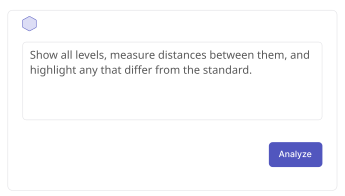
01Ask the AI
Load your BIM model and type what you want to verify in plain language.
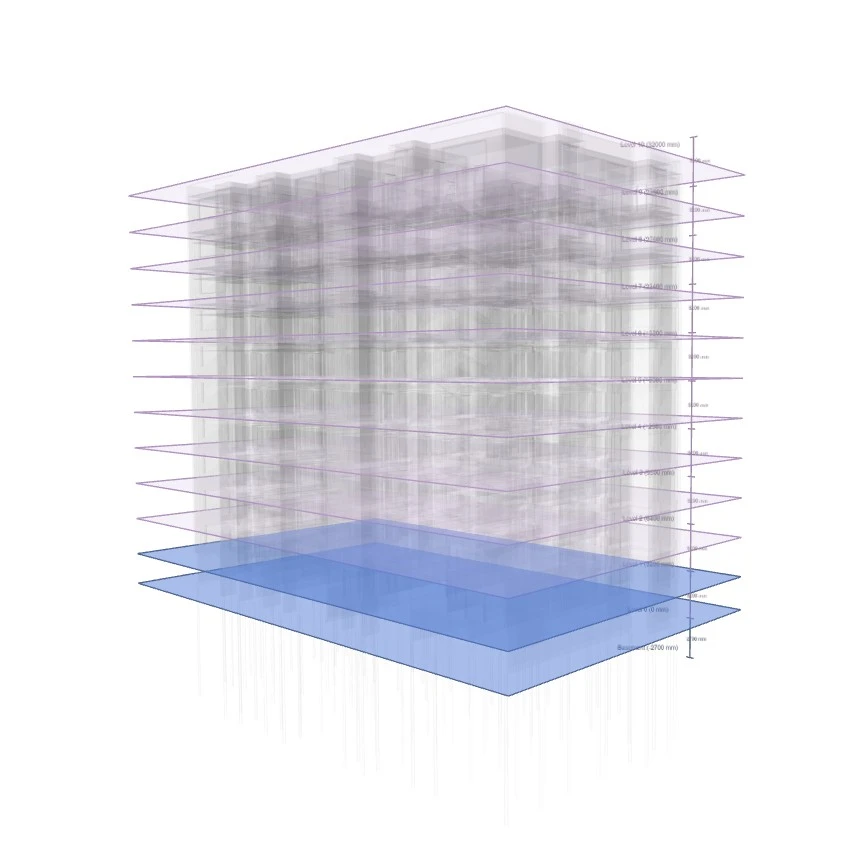

10 Standard Levels

1 Non-standard Distance
(Basement→Level 0)
12 Levels Detected
02See the results
Check results are highlighted directly on the model. The AI’s full reasoning is visible at every step.
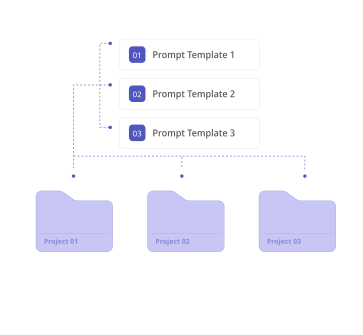
03Save and reuse
Save any check that works. Re-run it on the next project with a single click.
What Changes with AI BIM Checking
A fundamentally different
approach to every constraint.
Where existing tools stop, Tektome keeps going. Here’s how we
address each constraint head-on.
 AI BIM Checking Solution
Existing Tools
Required Skills
Natural language
Programming + BIM data structure expertise
Time & Cost to Build
Up and running in minutes
1–3 months of custom development
Model Understanding
AI reads and interprets any model structure automatically
You’re responsible for understanding models you didn’t build
Usage
Works in browser
Uses licensed software
Cross-Project Reuse
AI adapts to model differences across projects
Project changes = start over, or give up
Org-Wide Sharing
Save checks and share them across your organization
Knowledge stays with individuals
Output Flexibility
Fully flexible and custom outputs
Pre-defined outputs
Checking Method
Intelligent
Manual
Project Impact
Where BIM checking starts
reducing real project cost.
The biggest cost drivers in BIM checking aren’t the checks themselves – they’re the
rework, coordination overhead, and delays caused when checks don’t scale.
BUSINESS WORKFLOW: Changes before and after implementation
Before
After
- Routine checks (automated)
- High-risk checks (expert focus)
- Freed capacity

more time dedicated to high-risk checks
that actually need expert judgment

less time spent on routine checks in the same working day

No BIM navigation skills required
Team members don’t need to know how to navigate BIM software to run a check.
Anyone can verify, not just those who built the model.

Less rework across design iterations
Checks that can be re-run instantly reduce the need to manually verify the same conditions after every change.

Fewer coordination cycles
Issues are identified earlier, before they propagate across teams and models.

Reduced dependence on specialist resources
More of the team can run checks directly, without relying on a small number of scripting experts.

Web-based solution
Models are checked in our web-based app eliminating necessity to open any specialised software or rely on license dependency.

Every check saved is cost avoided
Each re-run replaces a manual review cycle. Across a full project lifecycle, that compounds into meaningful efficiency gains and lower rework costs.
Use Cases Built for your needs that matter most.
Different roles, different pressures but the same need to verify models quickly and reliably.
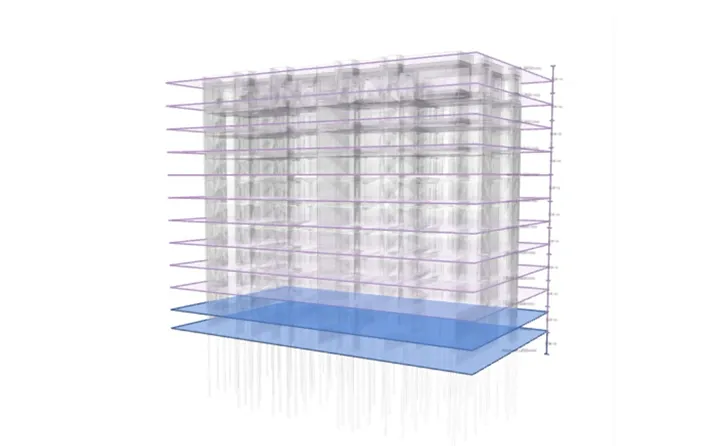
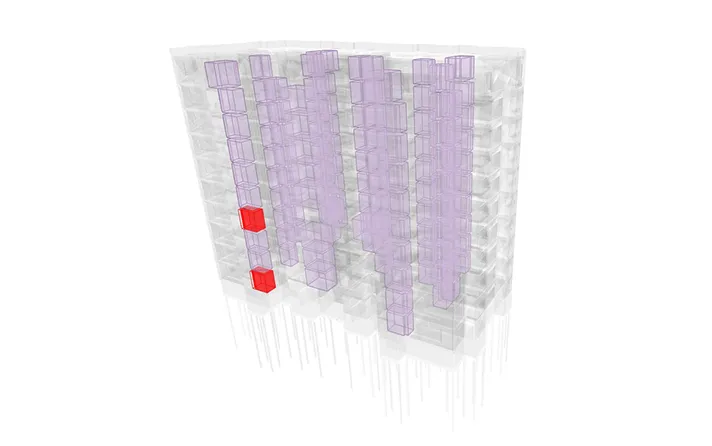
10 Standard Levels
1 Non-standard Distance
(Basement→Level 0)
12 Levels Detected
USE CASE 01Model Navigation and Accessibility
Navigate and access any model easily. Search efficiently, visualise building levels, measure distances between them, colour-code them, and highlight any deviations from standard spacing.
122 Compliant Rooms
(Floor Finish Aligned With Client Brief)2 Not-Compliant Rooms
(Floor Finish Not Aligned With Client Brief)Client Brief: Slip Resistant
Porcelain Tiles
USE CASE 02Client Requirement Validation
Check bathroom and WC floor finishes against client brief requirements and highlight any non-compliant rooms.
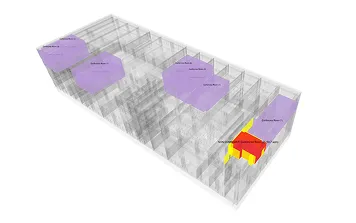

Conference Rooms Area
Compliant (≥65m²)
Conference Room Area Not
Compliant (<65m²)
Affected Objects Not-Compliant
Conference Room Area Increased To 65m²Corridor and Staircase Area
Would Be Affected By The Amendment
USE CASE 03Managing Change Control
Check which conference rooms do not meet the considered update of client brief area requirement and show what rooms and objects would be affected if that change was implemented.
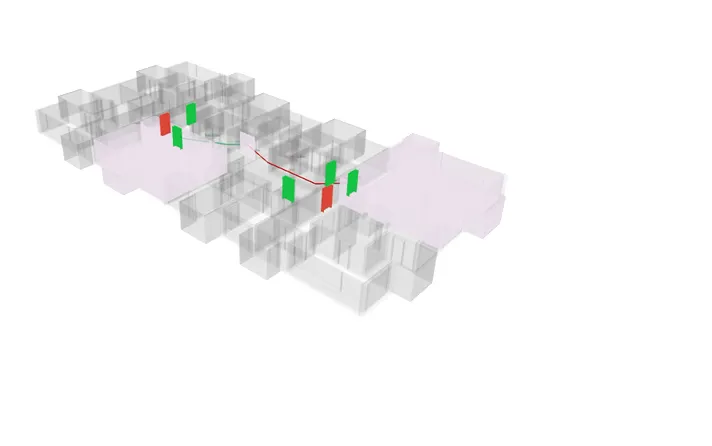
6 FD 30S Doors (Compliant)
1 Fire Escape Route (Compiant)
2 FD 20 Doors (Non-Compliant)
1 Fire Escape Route (Non-Compliant)
USE CASE 01Design Validation and Compliance Checking
Check apartment entrance doors for fire rating compliance, measure the fire escape route to the stair, simulate the walking path, and highlight any non-compliant doors or escape distance issues.
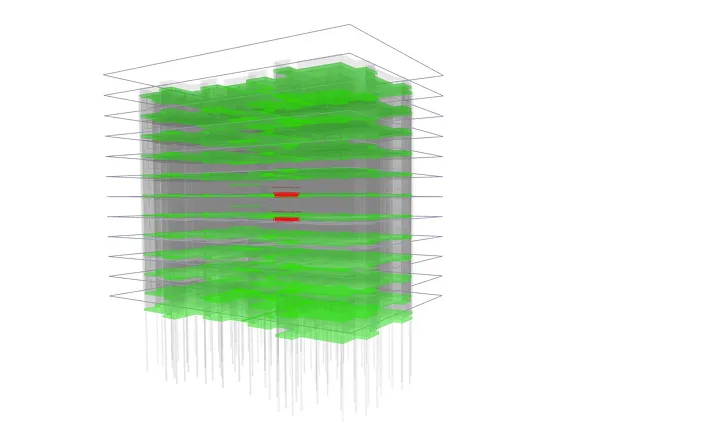
59 slabs aligned
2 misaligned slabs
Offset of misaligned slab is 50mm
USE CASE 02Multi-Discipline Custom Coordination
Compare slabs or other elements across Architectural and Structural/MEP models, and highlight any misaligned elements to identify coordination issues early.
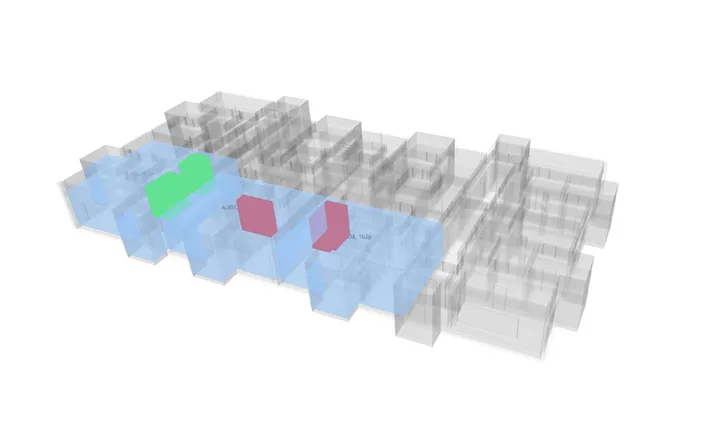
1 apartment compliant
2 apartments not compliant
(A.303, A.304)At least 2 storage rooms with
total area ≥2m² are required per
1b2p unit
USE CASE 03Complex Requirements Compliance Checks
Check total built-in storage area and distribution against requirements, and highlight any non-compliant units or spaces.
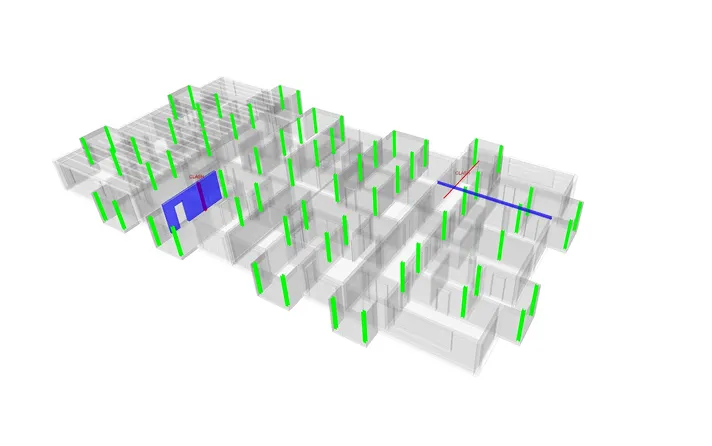
1 column-wall clash
1 pipe-beam clash
Overlap of column and wall: 60mm
USE CASE 01Clash Detection
Detect clashes between Structural/MEP and Architectural elements, and highlight any conflicts that require coordination.
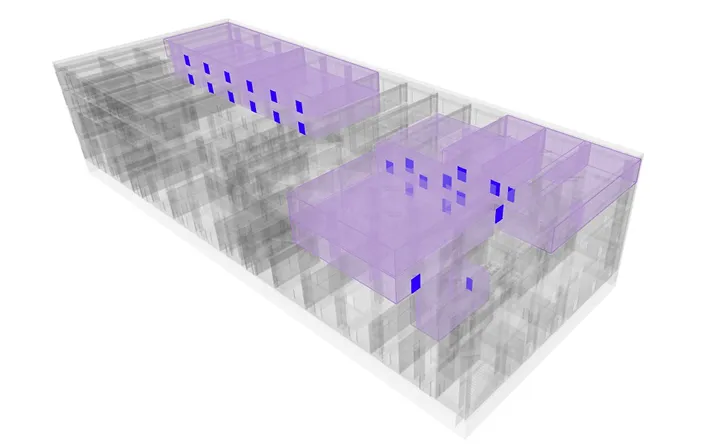
Office Room (11)

Doors in Offices (25)
136 Total Doors in Model
USE CASE 02Quantity Checks
Find all office rooms, identify their associated doors, and report quantities to support planning, scope verification, and procurement.
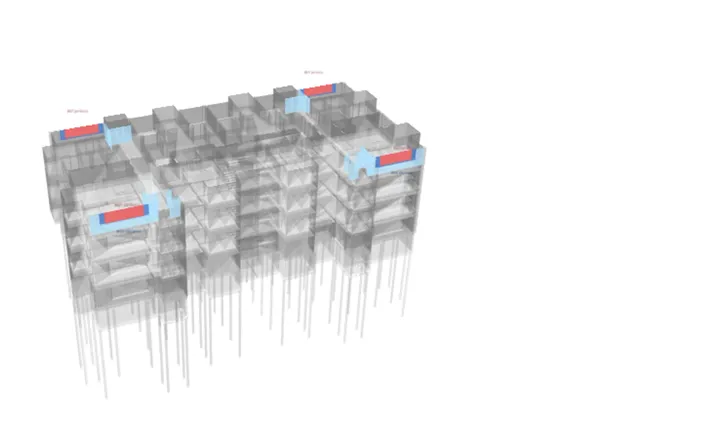

EW7 Windows – Original
EW8 Windows – Revision

Affected Elements – Revision
32 Affected Elements (Revision)
Window Width Increase: +27.7%
USE CASE 03Model Versions Comparison and Change Control
Compare the original model with its revised version, identify changes in geometry, elements, and parameters, and highlight affected elements to assess impact on construction, cost, and programme.
Transparency You’re always in control of the results
AI BIM Checker shows its work at every step so you can verify decisions, spot any
gaps, and stay confident in every check you submit.
Ask in plain language & review the checking process
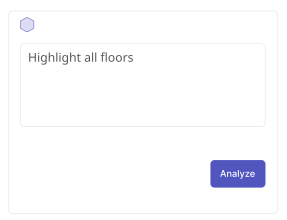
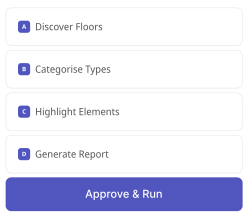
Type what you want to verify and let the AI do the rest. AI BIM Checker shows the exact steps it will take before running. You approve before anything executes.
Results on the model, every decision explained
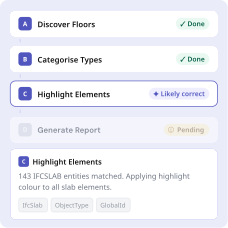
Check results are highlighted directly on your BIM model. Inspect any step to see what the AI found, which properties it accessed, and its confidence level.
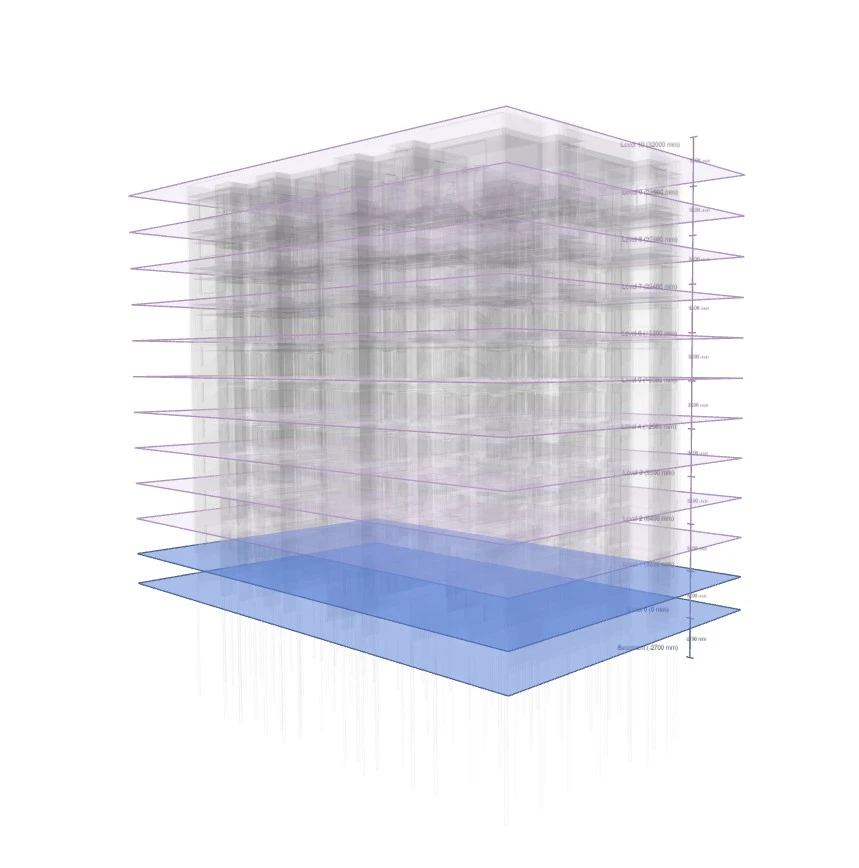
10 Standard Levels
1 Non-standard Distance
(Basement→Level 0)12 Levels Detected

Full audit trail on every check
Each result includes step-by-step reasoning, model properties accessed, and confidence indicators built for designers who need to sign off with certainty.

Save, re-run, re-verify
Once a check works, save it. Re-run it on the next project with a single click.

Free TrialApply for Free Trial.
We are opening access gradually. We’ll reach out personally
when your spot is ready.
Tell us a little about yourself and what you’d like to check.

